Now on the App Store  ✦ New: AI Travel Planner

Your money,
finally honest.

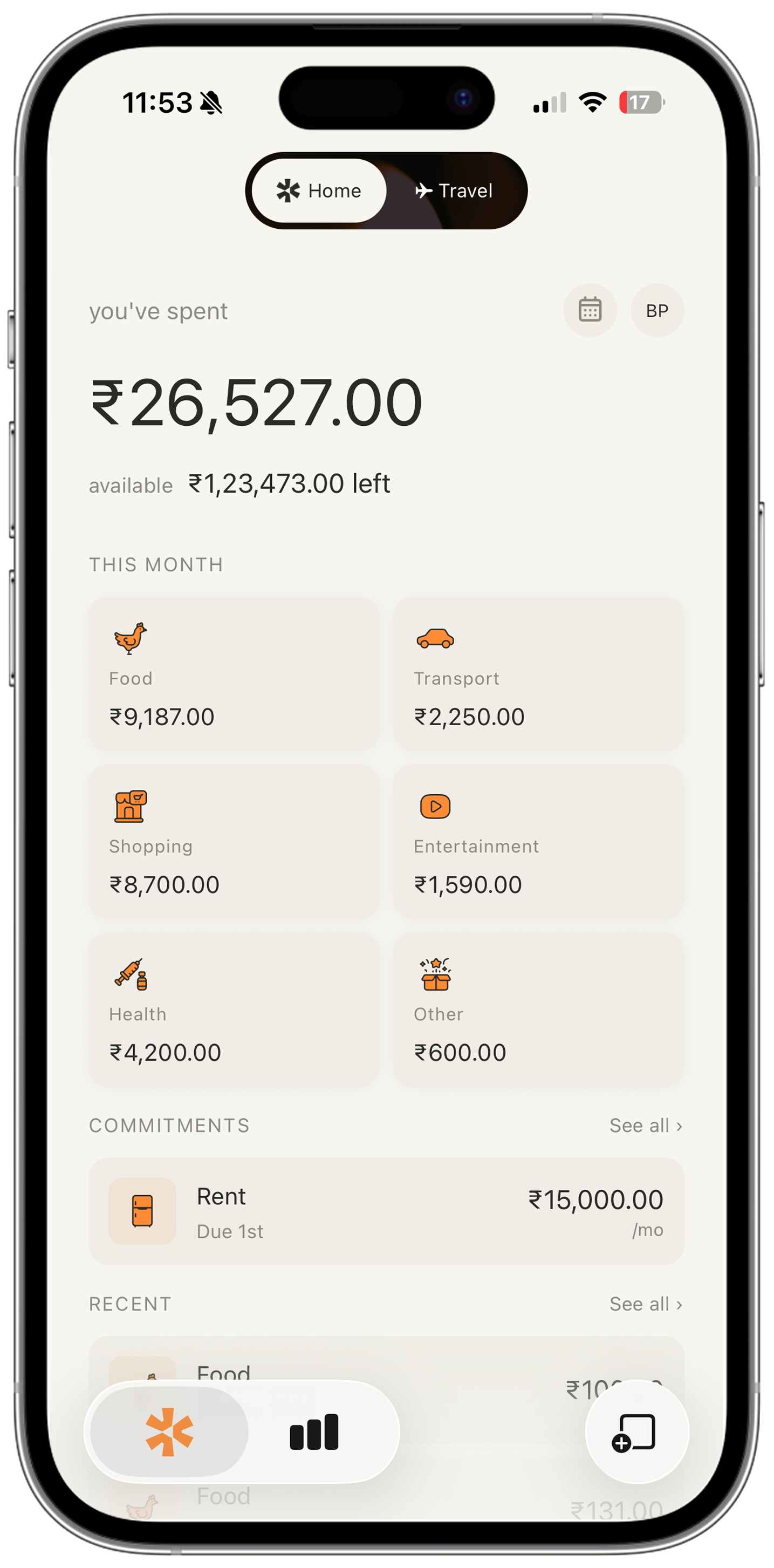
Baki shows your real available balance — salary minus every commitment you've already promised away. Not your bank balance. Your actual spending money.
Download on App Store See how it works →
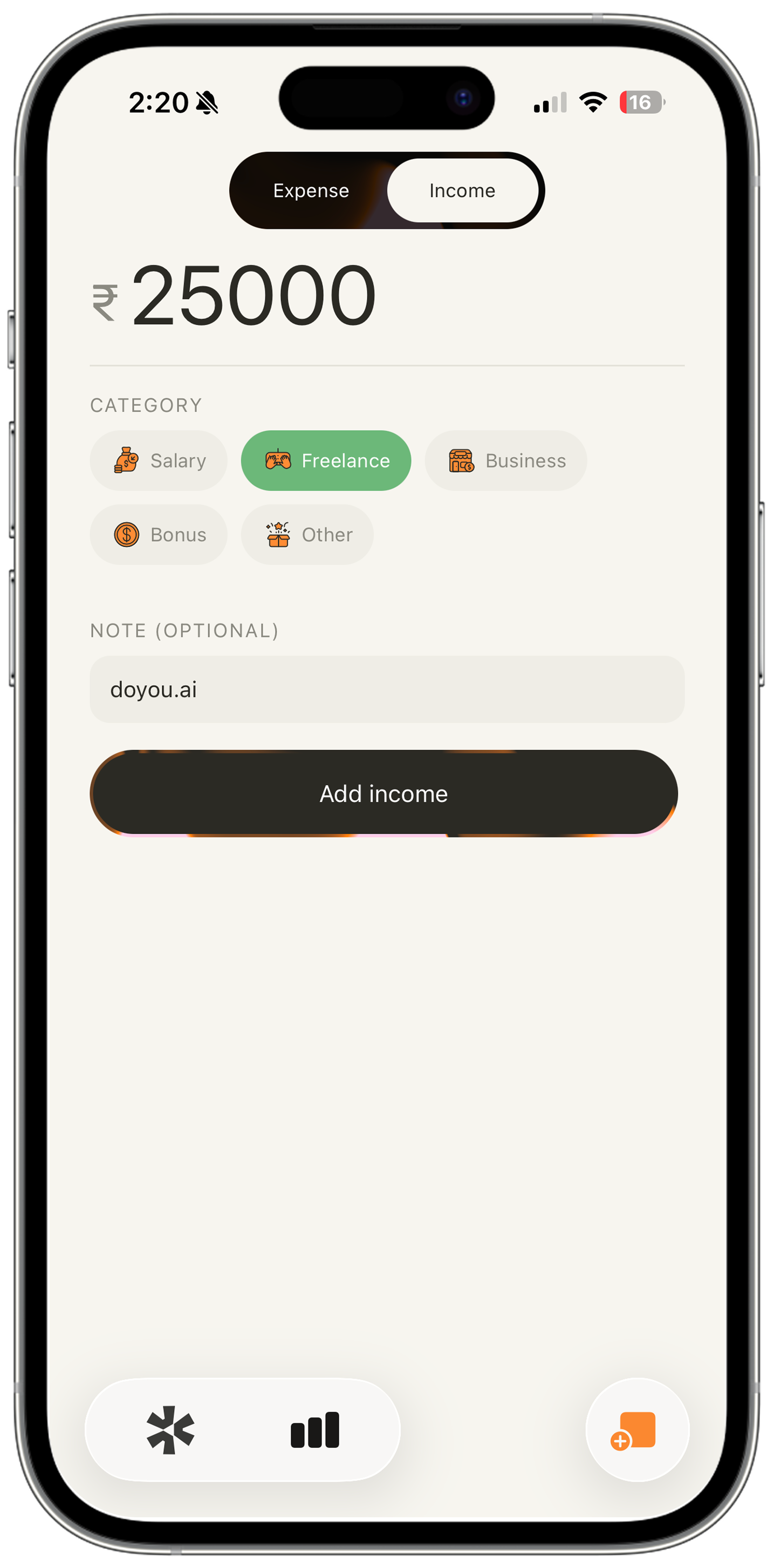
Add expense Baki home dashboard Travel mode

Know what you actually have.

Most apps show your bank balance. Baki subtracts every locked commitment before you see a single number — so you never accidentally spend money that's already spoken for.

Salary Minus commitments Minus spent

= Your real spending balance

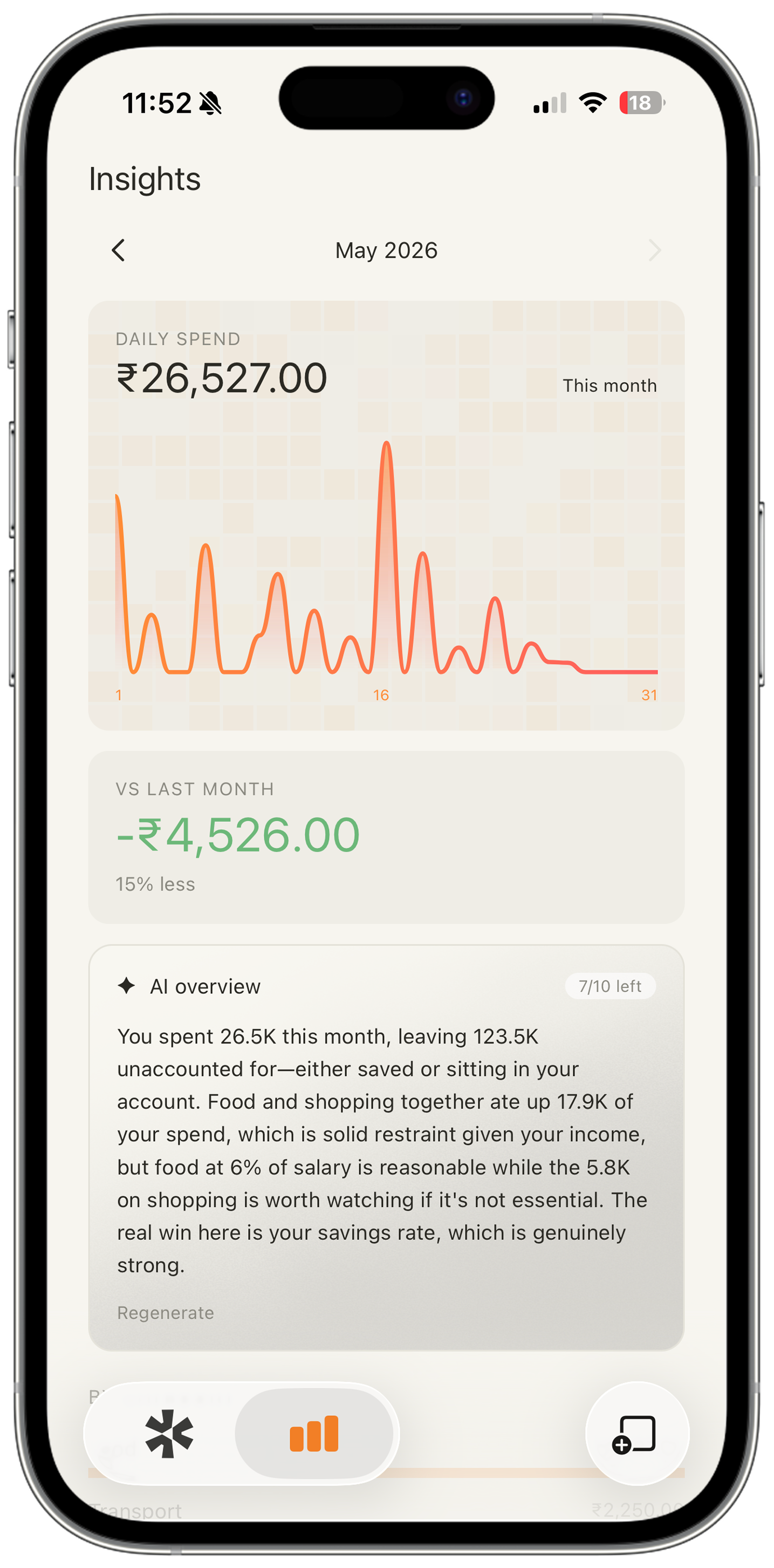
Home dashboard showing real available balance Daily spend insights chart

Intelligence that means something.

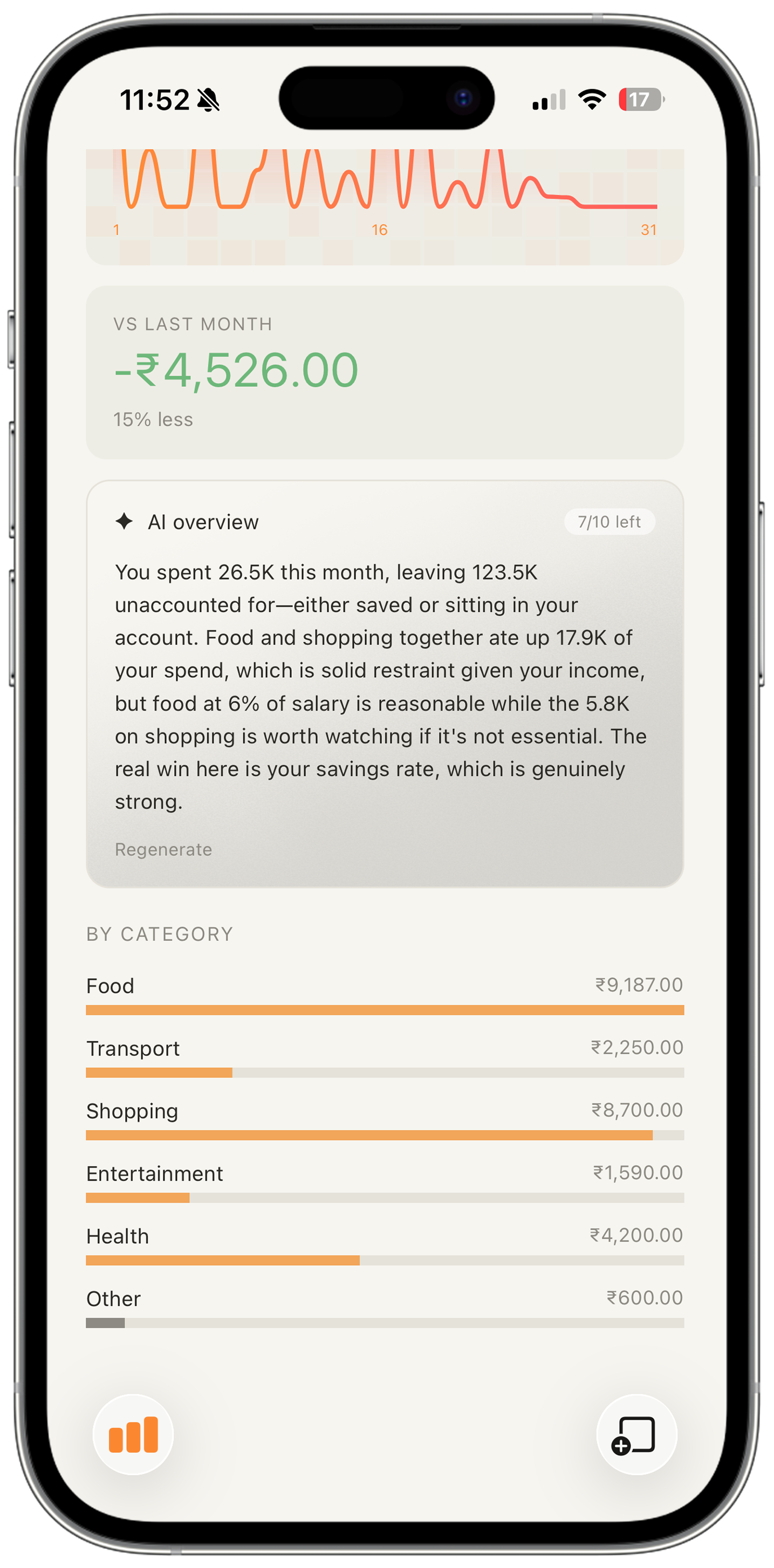
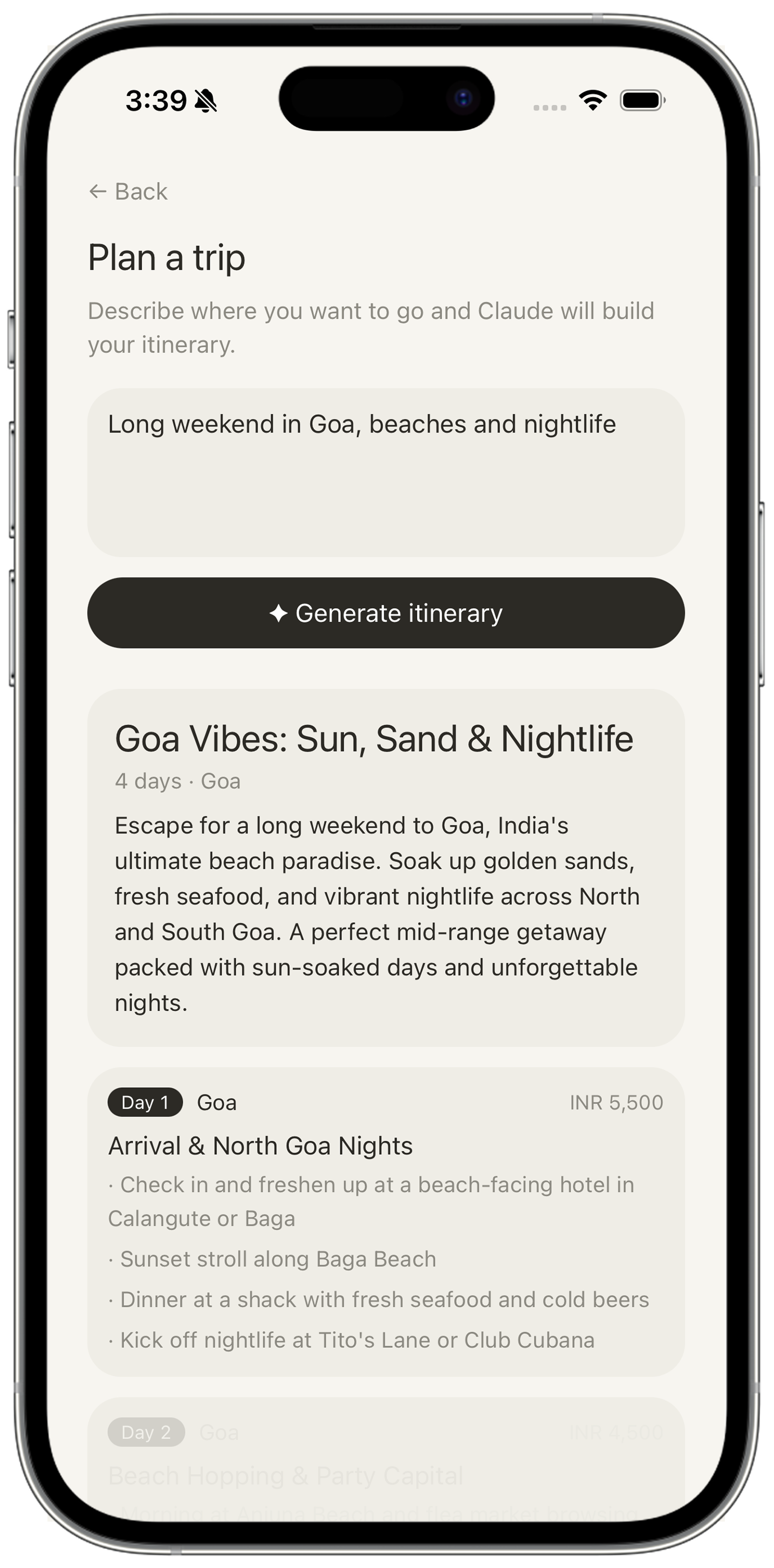
Get a plain-English summary of your month from Claude AI — no charts, no jargon. Then plan your next trip: describe where you're going and Baki builds the itinerary and sets everything up automatically.

AI spending analysis AI travel planner
AI spending overview AI travel itinerary planner

Your travel budget, simplified.

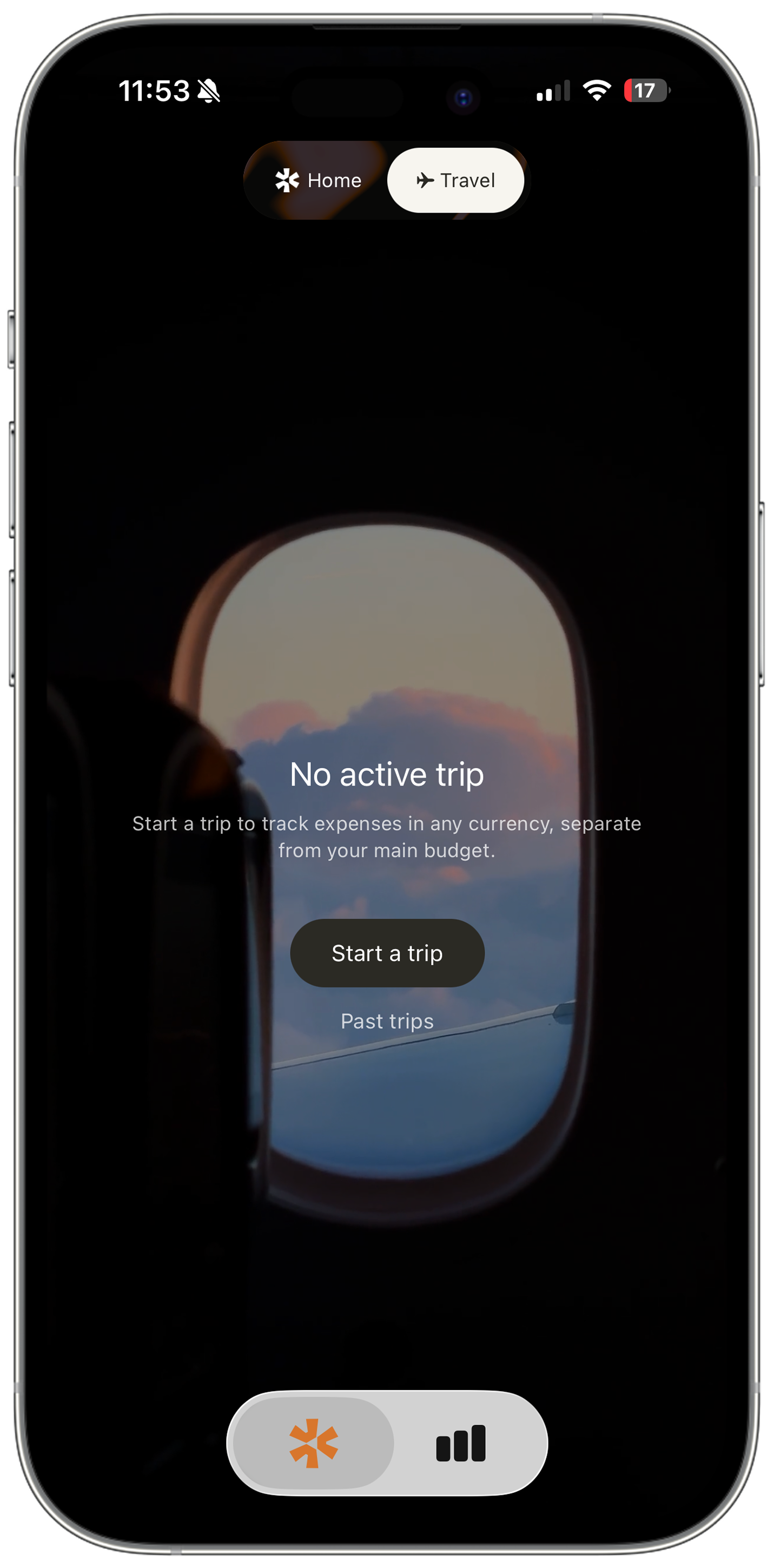
Track expenses in any local currency, separate from your main budget. Every trip lives in its own space — so your travel spending never pollutes your monthly numbers.

Multi-currency Separate from main budget Daily budgets per city
Travel mode screen Home dashboard

Built for people who want
honesty about their money.

Real Available Balance

Salary minus locked commitments minus spending. The only number that matters, always front and centre.

Commitment Lock

Add rent, EMIs, subscriptions once. Baki locks them away every month so nothing slips through.

AI Spending Analysis

A plain-English summary of your month from Claude AI. No charts, no jargon. Just the truth.

AI Travel Planner

Describe a trip, get a full itinerary with daily budgets. Confirm it and Baki sets everything up.

Travel Mode

Track expenses in any currency with daily budgets per destination. Everything converts to your home currency.

Split Expenses

Group expenses, split bills 5 different ways, track who owes whom, and settle up in seconds.


See every screen.

Drag to explore the full app.

Home — real available balance AI Travel Planner Insights — daily spend Travel mode AI spending overview Add expense or income Baki

Simple. Honest. No tricks.

Start free. Upgrade when you're ready.

Free

₹0

forever, no card needed


  • Real available balance
  • Lock commitments
  • Up to 100 expenses/month
  • Travel mode
  • Split expenses
  • AI Travel Planner preview
Download free
✦  Pro

Baki Pro

₹199 / $9

per month  ·  India / Global


  • Everything in Free
  • Unlimited expense logging
  • 5 years of spending history
  • AI spending analysis
  • AI Travel Planner — full itinerary + auto-setup
  • No ads. Ever.
Start Pro →

Common questions,
quick answers.

What is Baki?
Baki is a commitment-first budgeting app. It shows your real available balance — your salary minus every locked commitment (rent, EMIs, subscriptions) minus what you've already spent this month. Not your bank balance. Your actual spending money.
What is a commitment?
A commitment is a recurring expense you've already promised to pay — rent, loan EMIs, streaming subscriptions, gym fees, insurance. Baki locks these away from your balance the moment your month starts so you never accidentally spend money that's already spoken for.
How does the available balance work?
Available balance = Salary − Locked Commitments − Spent This Month. This is the only number that matters. It's always front and centre on your dashboard.
How does the AI Travel Planner work?
Describe your trip in plain language — "a week in Japan, mid-range budget" — and Claude AI generates a full day-by-day itinerary with destinations, daily budgets per city, and travel tips. Pro users can confirm the itinerary and Baki automatically creates the trip with all destinations set up. Free users get a Day 1 preview.
Is my data private?
Yes. All your financial data is stored securely in your personal account using row-level security — only you can access your data. We never sell or share it. See our Privacy Policy for full details.
What is Baki Pro?
Pro unlocks unlimited expense logging, 5 years of spending history, AI spending analysis (a smart monthly summary), and the full AI Travel Planner with auto trip setup. Free users can log up to 100 expenses per month and preview Day 1 of any AI itinerary.
How do I cancel my Pro subscription?
Open Settings on your iPhone → tap your name → Subscriptions → Baki Pro → Cancel Subscription. Your Pro access continues until the end of the current billing period.
How do I restore a purchase on a new device?
Open Baki → Settings → Subscription → tap "Restore Purchases". Make sure you're signed in with the same Apple ID you used originally.
How do I delete my account?
Open Baki → Settings → scroll to the bottom → Delete Account. This permanently removes all your data from our servers and cannot be undone.
Something isn't working. What do I do?
Try closing and reopening the app first. If the issue persists, contact us with a brief description of what happened, your device model, and iOS version.

Start knowing your
real balance today.

Free to download. No credit card. No nonsense.


Get in touch.

Have a question, found a bug, or want to share feedback?
We read every message and typically reply within 24 hours.

Email us

Privacy Policy

What we collect

Your name and email (from Google Sign-In or Sign in with Apple), your financial data (salary, expenses, commitments), and basic app usage. We do not collect advertising identifiers or sell your data to third parties.

How we use it

To provide the app, sync your data across devices, and send commitment reminders if you opt in. We never use your financial data for advertising.

Where it's stored

All data is stored on Supabase with row-level security — only you can access your rows. Subscriptions are managed by RevenueCat. Payments are processed by Apple.

Data deletion

You can delete your account and all associated data at any time from Settings → Delete Account. Deletion is immediate and permanent.

Subscriptions

Baki Pro is an auto-renewable subscription managed by Apple. Your subscription automatically renews unless cancelled at least 24 hours before the end of the current period. You can manage or cancel in your Apple ID settings.

Terms of Use

By using Baki, you agree to Apple's standard Terms of Use (EULA).

Contact

For privacy questions email bestine.payyappilly@gmail.com.

Last updated: May 2026

🇮🇳 Designed & developed in India by Bestine Payyappilly